Narrow Your Nose
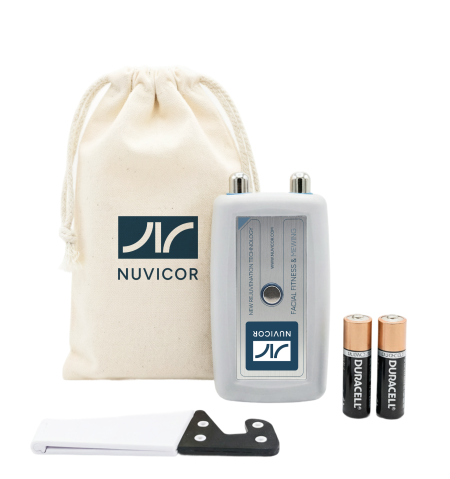
Nuvicor device for restoring the nasal muscle tone - Musculus Nasalis

NOSE SHAPING
As we age, the nose generally increases in size. This happens because the muscles surrounding the nose weaken, losing both their volume and tone. Over time, these muscles lose their ability to support the edges of the nasal cartilages. As a result, the nose becomes wider, which can detract from the overall aesthetics of the face.
Figure 1 shows the primary nose muscle, the nasalis (musculus Nasalis - red). When contracted, it pulls the nasal cartilages together, narrowing the nose. Simultaneously, it lowers the wings of the nose (alae) and narrows the nostrils.
After completing the nose muscle training course, the muscle restores its tone and its ability to steadily pull the nasal cartilages together. This restores the nose to its natural, more attractive appearance.

Figure 1
The Nuvicor device tracks your muscle tension in real time, displays exercise goals, and provides voice prompts to ensure the most effective workout possible.

Step 1: Device Setup
1
Insert the batteries into the Nuvicor device.
2
Open the Nuvicor app on your phone.
3
Make sure the device is connected (a rapidly flashing indicator light confirms the connection).
Step 2: Preparation – Locating and Engaging the Muscle
1
Movement: Make a conscious effort to draw your nostrils inward (contract them). It may help to support the bottom of your nose with your free finger, using it as resistance as you tense the muscles.
2
Positioning: Place the two metal contacts against the skin of your nose, as shown in the illustration (Fig. 2). Keep your finger pressed against the sensor on the device housing at all times.

Figure 2
3
Visual Feedback: Tense your nose muscles and watch the red bar on the left. It rises as your muscles contract (Fig.3B) and drops when they relax (Fig. 3A). Repeat this slowly several times to ensure correct form.
4
Start: Press "START TRAINING" to begin the exercises.

Figure 3
Step 4: Muscle Test
1
Tap START TRAINING, review the instructions, and then tap START TEST.
2
Follow the voice prompts.
3
Tense your cheek muscle as hard as you can for 5 seconds. Repeat 3 times (Fig. 4).
4
Save your results.
Note: This step customizes the workout to your current strength level.

Figure 4
Step 5: Exercises
Exercise 1 — Goal: Build Muscle Volume
1
Follow the voice prompts. Tense the muscle 5 times, holding each contraction for 5 seconds.
2
Make sure the line on the graph rises above the red line (Fig. 5).
3
Pause and rest between repetitions.
4
Save your results.

Figure 5
Exercise 2 — Goal: Increase Muscle Strength
1
Hold the contraction for 20 seconds.
2
Try to keep the graph line within the colored zones (Fig. 6).
3
Focus on control rather than power.
4
Repeat the exercise and save your results.

Figure 6
Exercise 3 — Goal: Improve Muscle Tone
1
A video will be displayed during this exercise.
2
Maintain a steady, moderate muscle contraction.
3
The video will play only when there is sufficient muscle tension (Fig. 7-A).
4
If your muscle tension drops, the screen will turn black (Fig. 7-B).
5
Slightly increase the tension to resume playback.
Note: This exercise restores stable muscle tone through controlled tension and relaxation cycles.

Figure 7
Results Window
After completing the exercises, the session results screen will appear. It summarizes the performance of the trained muscle during the test and across all exercises (Fig. 8). You can save this screen as an image to your photo gallery by pressing the SAVE button.
The END OF SESSION button ends the session and returns you to the home screen (or main menu).

Figure 8
View History
Your progress results (Fig. 9) can be viewed by pressing the RESULTS button on any screen.

Figure 9